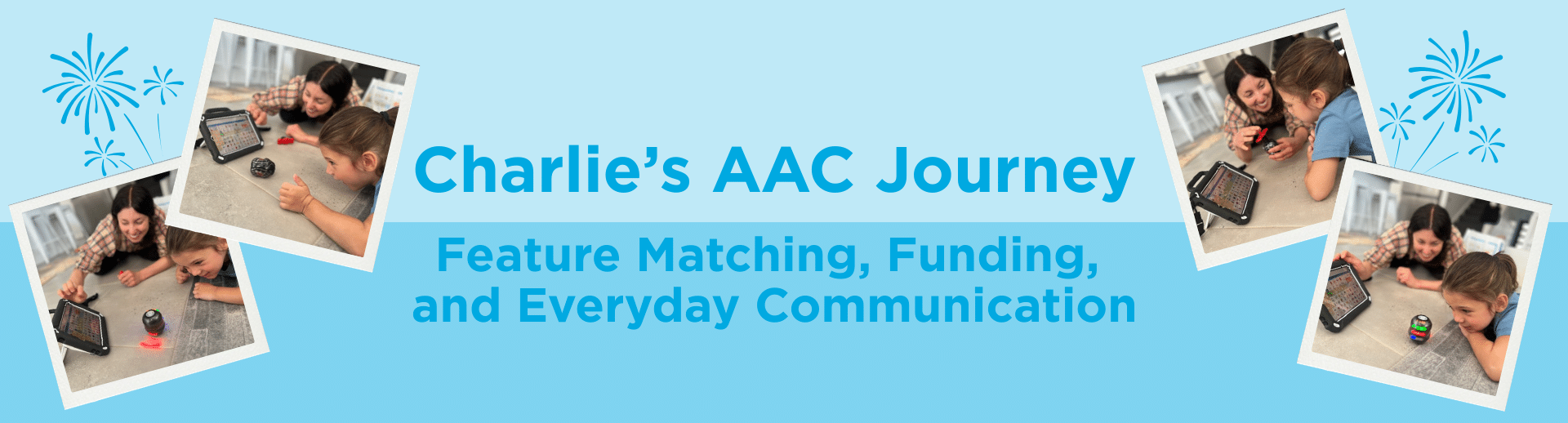
This month, we spoke with Pashenka, Speech Pathologist and NSW Liberator Consultant, and Lauren, Charlie’s mum, about Charlie’s AAC journey — from feature matching and funding, to how his communication device fits into everyday life.
Pashenka, Speech Pathologist
Charlie was already familiar with LAMP Words for Life® on an iPad mini that his family had self‑funded, but they were keen to move to a dedicated communication device that was more durable and better suited to everyday use.
Portability was really important. Charlie benefits from lightweight, portable technology so he can communicate on the go. He also has excellent fine motor skills, so the 8” screen size of the Via® Mini was a good fit.
Maintaining familiarity was another key factor. Charlie’s family were very confident personalising vocabulary within the iOS space, so staying with an iOS‑based system made sense.
Charlie attends an early‑years setting and loves being out in the community — especially at the playpark — so amplification was essential. The Via® Mini’s Bluetooth‑linked speakers support communication in busy environments.
Other practical considerations included an easy‑to‑fit keyguard and an extended warranty that covered accidental damage and breakages.
Pashenka
I used a report template I’ve developed based on NDIS Mid‑Cost Assistive Technology requirements.
In the report, I clearly identified the features Charlie required and why they were essential for his communication. I contrasted these features with a standard iPad — particularly durability and amplification — and also documented other systems we had considered, including the NovaRugged™ 8.
I emphasised the importance of staying within the iOS environment, as Charlie’s family were already highly familiar with this operating system.
Throughout the report, I consistently referred to the device as the Liberator Via® Mini with LAMP Words for Life®, and as an iOS‑based communication system — rather than calling it an “iPad”. This helped keep the focus on functional communication needs rather than the hardware itself.
Pashenka
It’s been a little challenging to provide regular on‑site support, as Charlie doesn’t attend preschool on my clinical caseload day. However, I was able to provide a thorough whole‑staff training session last year focused on AAC and LAMP Words for Life®.
We followed this up with a shared Google document centred around a Core Word of the Week. This has given Charlie’s team a consistent and manageable way to build confidence and competence without becoming overwhelmed.
Charlie’s family are wonderful advocates and regularly share information between home and preschool.
Now that Charlie has a dedicated communication device from Liberator, his team can also access free annual transition training with a Liberator consultant, which supports new educators as they join his support team.
Lauren, Charlie’s mum
I love how compact and portable the Via® Mini is. I’m Charlie’s primary communication partner, and I usually wear his AAC device when we’re out so I can model communication whenever the opportunity comes up.
The Via® Mini is light and comfortable to wear, and durable enough to keep up with all the places we go. We also use the different attachments that come with the casing to hang it from Charlie’s stroller or shopping trolley — it’s incredibly versatile.
I also really appreciate the keyguard. It’s easy to install and can be lifted without fully removing it when we need to edit vocabulary in LAMP Words for Life®.
Lauren
The casing has been a complete game‑changer for us. Being able to wear the device, prop it up with the built‑in kickstand, or attach it to equipment means AAC fits into whatever we’re doing.
That flexibility just wasn’t there with the iPad we were using before.
The inbuilt speaker is another standout feature. It’s much louder than what we could achieve on a regular iPad, which means Charlie can communicate in many more community settings than before.
Lauren
Charlie uses his Via® Mini throughout the day — choosing snacks, deciding what to watch on TV, and making choices during play.
We integrate AAC into everyday routines and games. One of our favourite games is something we call “Mummy Robot”. I pretend to be a robot, and Charlie uses his Via Mini to tell me to stand up, sit down, spin around, or stop.
He usually has me spinning until I’m very dizzy — and the game always ends with Charlie telling me to tickle him using his device.
Stories like Charlie’s show how thoughtful feature matching, consistent support, and everyday access to AAC can make a meaningful difference to communication across home, early learning, and the community.
Whether you want to discover more devices (like the Via® Mini!), find a training workshop, or book a free 1:1 consult, we’re here to help!
Call 9124 9945 or email support@liberator.net.au to connect with our team.