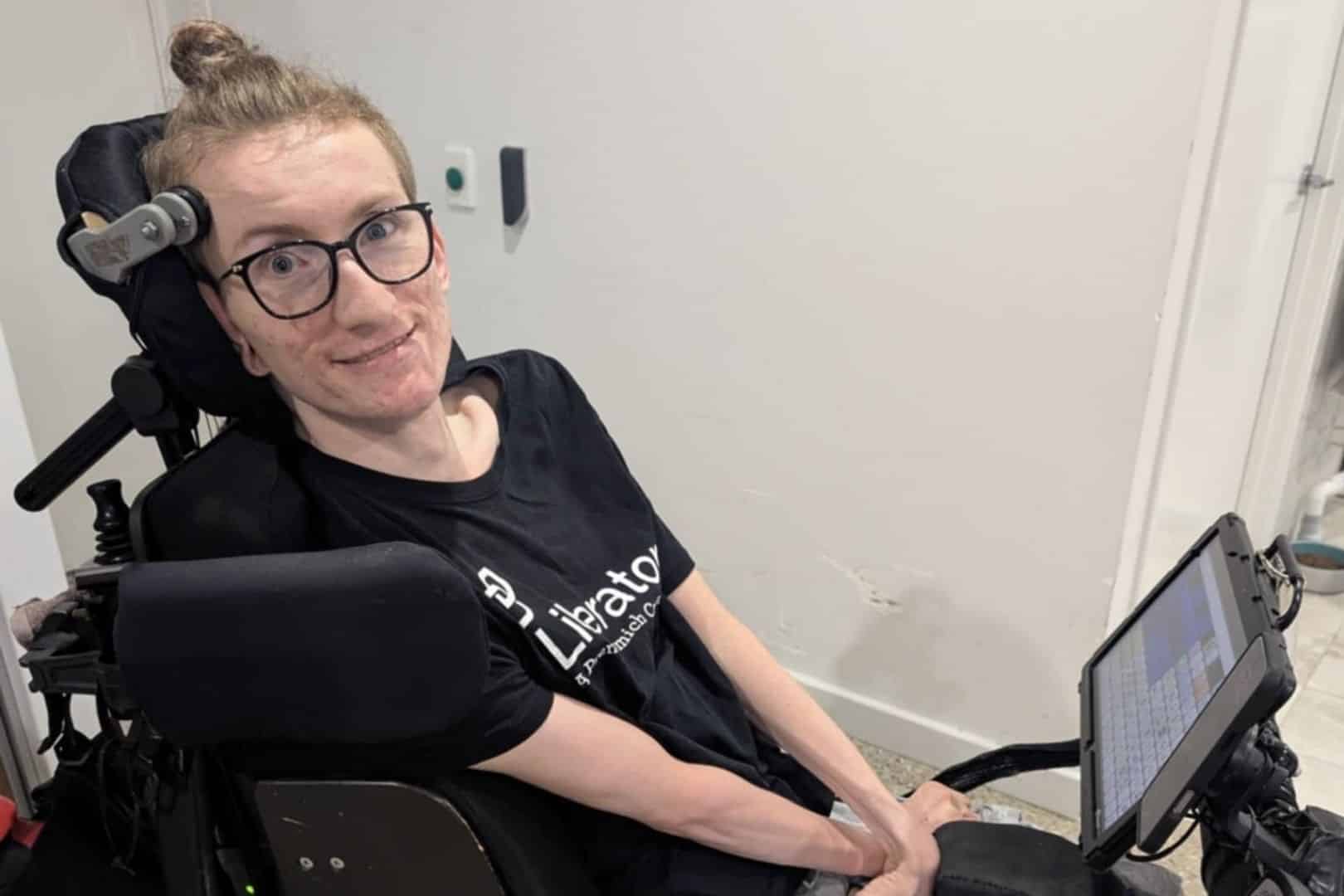
This Global Accessibility Awareness Day (May 21), we thought we’d refresh our community (and us!) on what great accessibility actually looks like. To help give us a real-life perspective, we spoke with Joey – one of our amazing AAC Experience Advisers.
Joey shares what accessibility means to him: what works, what doesn’t and why it matters so much in everyday life and communication.
Read all about it here.
Accessibility means independence. It means being able to participate in life without needing someone else to constantly step in and “fix” the environment around you. Good accessibility removes barriers before they become problems.
Good accessibility allows communication to happen naturally and efficiently instead of feeling like hard labour. When my device setup is working properly, I can joke with friends, answer questions quickly, advocate for myself, teach, work and build relationships.
The more accessible a device is, the less mental and physical energy I waste fighting the technology itself.
Customisation is one of the biggest things that works well for me. Being able to adjust access methods, dwell times, switch scanning, mounting positions, button sizes, vocabulary systems and input settings makes a huge difference.
Apple’s accessibility ecosystem is also one of the better examples because accessibility is built into the core experience instead of feeling like an afterthought.
A lot of technology still assumes everyone can use a touchscreen quickly and accurately. Tiny buttons, time-limited popups, gesture-based controls, poor switch compatibility and inaccessible updates can completely lock people out. One software update can sometimes undo months or years of carefully built accessibility setups.
We need disabled people involved in the design process from the beginning, not brought in at the very end for feedback. Accessibility should not be treated as a bonus feature or compliance checklist.
The people designing technology need to understand that accessibility impacts education, employment, relationships, healthcare, safety and basic human dignity.
I rely heavily on switch access and reliable mounting systems. If either one fails, my communication speed drops dramatically, or I can lose access altogether. People often underestimate how quickly a small equipment issue can take away someone’s independence.
A truly accessible device fades into the background. I’m not thinking about access anymore — I’m thinking about the conversation, the joke, the meeting or the person in front of me. Good accessibility feels natural and reliable instead of exhausting.
Fine-tuning my switch timing and access settings made a massive difference. Small adjustments to scanning speed and activation timing reduced fatigue and made communication feel smoother and more natural. Tiny settings changes can completely change someone’s quality of life.
Accessibility often breaks down in fast-paced environments. Outdoors in bright sunlight, noisy restaurants, medical appointments, schools, workplaces or group conversations can all become difficult because people expect immediate responses.
Fatigue also plays a huge role. A setup that works perfectly at home can become much harder after a long day.
What’s one moment where accessibility let you participate fully (or where lack of it excluded you)?
One of the biggest moments for me was being able to publicly present and teach using my AAC system.
Good accessibility allowed me to move from being “spoken about” to being the person leading the conversation.
On the other hand, I’ve also experienced moments where inaccessible environments made people assume I had nothing to contribute – simply because communication became too difficult.
Companies need to stop designing accessibility as an afterthought. They also need to stop assuming “most users” are the only users that matter. Accessibility features should not be hidden away, poorly maintained or sacrificed for aesthetics. Looking modern means nothing if people cannot actually use the product.
This Global Accessibility Awareness Day, let’s think about the importance of accessibility for all of us. It’s not just a feature – it’s what makes communication, participation and connection possible.
Thank you to Joey, our AAC Experience Adviser, for his awesome insights. If you’re keen to hear more from Joey, check out our Ask An AEA videos on our instagram.
There’s always more we can do and learn together – let’s keep the conversation going!
Want to know more?
Whether you’re exploring devices, looking for training or want to book a free 1:1 consult – we’re here to support you.
Call the team on 02 9124 9945 or email support@liberator.net.au to connect with our team.
Your AAC device is an important part of everyday life, supporting conversations, learning, and connection with others. And, just like any piece of technology you rely on, it performs best when it’s well looked after! In this blog, we’ll share our top AAC device maintenance tips – including practical care, maintenance, and tech advice to help ensure your device stays reliable, responsive, and ready when you need it!
Let’s face it – devices get dirty. Whether you’re at school, work, or just having dinner, your device comes along for the ride. Give it some cleaning attention regularly to keep it working well.
For light cleaning, use a soft, lint-free cloth on the touchscreen. For deeper cleaning, use a slightly damp, lint-free cloth, then dry the screen with another soft cloth. You can find more detailed cleaning tips in your device manual.
Good to know: Keyguards can go in the dishwasher!
Your device comes with a specific charger – always use that one. Try to charge your battery before it drops to 0%. Charging when your battery is above 10% can extend its life significantly. For best results, charge your device upright at room temperature on a hard surface.
Tip: Turn off your device for faster charging.
We encourage keeping your device with you and ready to use for conversations throughout the day. However, there are smart times to use sleep mode or shut down completely.
Set your auto-sleep to five minutes or less. Use sleep mode when you won’t be using your device for short periods, like during swimming.
Remember that sleep mode uses about 2% of battery per hour. Consider turning off your device completely during longer breaks, like overnight.
Like most technology, your device works best when it’s not too hot. Take breaks from heat and avoid charging if your device feels warm. Move to shade or air conditioning rather than trying to cool it with water.
Tip: Keep a low-tech communication board handy for water activities.
Software updates bring new features and vocabulary to improve your communication experience. Connect to WiFi and follow the prompts in your settings menu to get these improvements. Updates also help your device run more smoothly overall.
Tip: Plug in your device during updates to protect your battery.
Your screen is essential for accessing all your communication options. Protect it from scratches, moisture, and spills with a screen protector. This also reduces glare and reflections, making it easier to see your buttons.
Visit our online store to see screen protector options for your device.
Your device is built to be durable and handle daily life. (If you haven’t already), you might try an extra protective case designed specifically for your device model. These cases provide additional security for active use at home and out in the community.
People change, and your needs change too. It might be time to check that you’re still accessing your device in the most comfortable and efficient way possible.
Connect with your support team (or ours!) to consider adjustments like:
Our local consultants are happy to discuss access questions to help you communicate at your best.
If you’re experiencing glitches, try restarting your device first – this solves most technical problems.
If you’re still having trouble after a restart, our support team is here to help. Contact us by phone, email, or through our website, and we’ll work together to get your AAC device maintenance issue resolved – and your device running smoothly again.
Need a little support with your AAC device maintenance?
Our team is here to help you make the most of your communication device. Whether you need help with AAC device maintenance or want to explore new ways to optimise your AAC setup, we’re just a call or click away.
Contact us: